 Grablet
01 / X and Twitter
A video or photo gallery
Open a post, save its video, or select the photos you want in a ZIP.
Save from X →Video & image downloader
Download from the pages you browse, straight to your device. Pick a video, select your photos, and keep them together.
Free core downloads. No account, no tracking, no watermarks. Optional Pro tools.
See how it works · Why Grablet needs website access
How it works
Install Grablet, open your media, and make your first save.
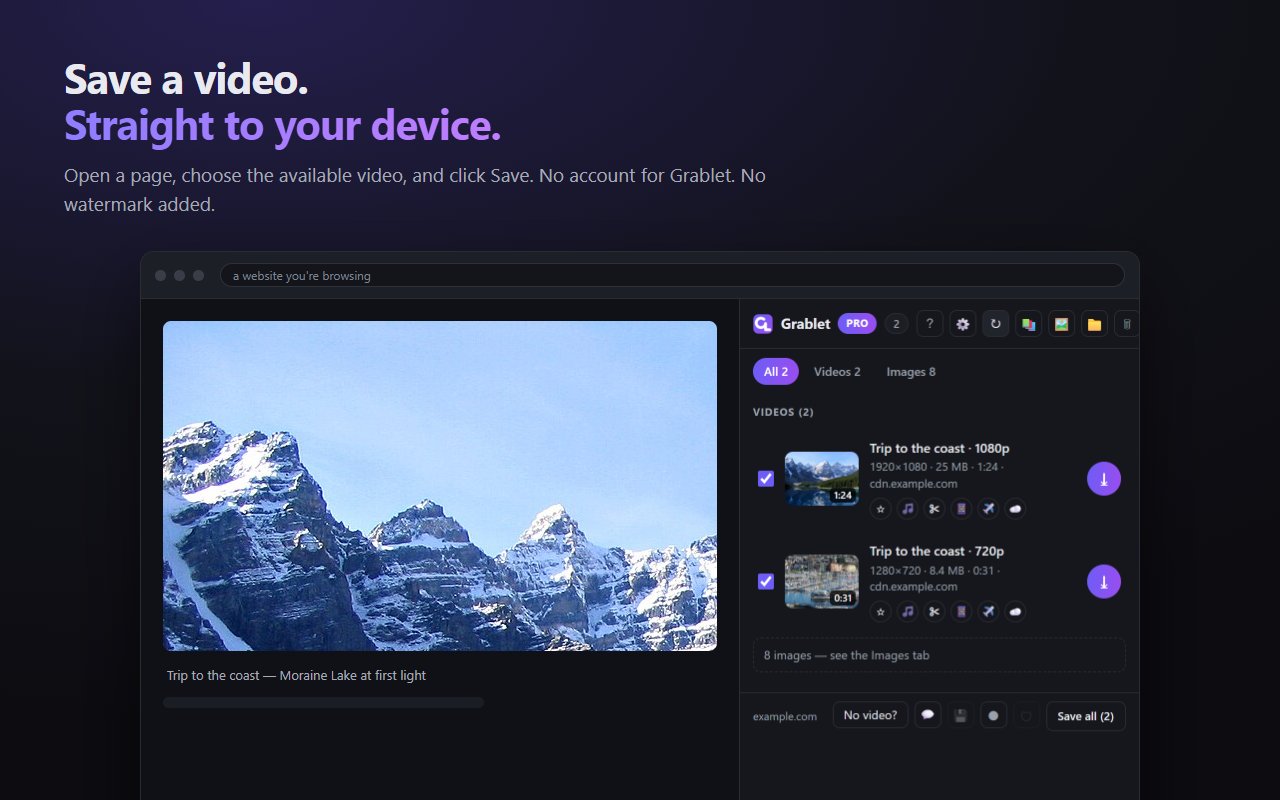
Open a post, play a video, scroll a feed. Grablet watches what the page loads and sends nothing anywhere.
On the post itself. Or open Grablet from the toolbar to see everything on the page, listed by type and quality, best version first.
The file downloads straight from the site to your Downloads folder, filed by website.
Choose your starting point
Short guides for the things you came here to do.
01 / X and Twitter
Open a post, save its video, or select the photos you want in a ZIP.
Save from X →02 / Telegram Web
Open the media in your browser and save the file available in your own session.
Save from Telegram →03 / Image galleries
Filter out small icons, choose images, and download them together in one archive.
Download a gallery →Supported sites
Including what you can only see when you’re signed in. Grablet only ever sees what your own browser has already loaded.
Other sites are off until you switch Grablet on for them from the popup. One click, per site, and off again whenever you like. Telegram Web is included, where most downloaders come up empty.
Free and Pro
Free saves every file a site serves, unlimited, with no account, and while Grablet is in beta it assembles streams too. Pro adds tools for people who save a lot.
Core file saving stays free. The beta stream-assembly promotion ends on 9 March 2027; Free then includes three engine saves a day. Installs through that date keep their 90-day Pro trial.
Privacy
Not because we promise not to look. Because nothing you save ever passes through us.
Install it and it works.
No analytics, no identifiers, nothing phoned home.
Files go from the site straight to your disk.
Being straight with you
It does not work on YouTube, and it cannot save from DRM-protected services like Netflix, Spotify or Disney+.
Those limits are deliberate and permanent. Store policy in the first case, the law in the second. No setting will unlock them.
Please only save content you have the right to keep, and respect the creators and the sites you use.
Questions
Grablet runs only in your browser. Nothing you save passes through a server of ours, and there is no account and no analytics. The permissions it asks for are listed, with reasons, in the privacy policy.
That is the permission every extension that sees a page needs. Grablet reads what the page has loaded, fetches from the site’s own servers only when you click Save, and sends nothing anywhere.
Yes. Free saves every file a site serves, unlimited, with no account, and assembles streams too until 9 March 2027, three a day after that. Pro adds clips and GIFs, tab recording, evidence mode, cloud saves and the original sound. Nothing that’s free today will ever become paid.
Grablet is available on desktop Firefox and can be installed in Firefox for Android. On Android, open Firefox’s Extensions menu to use Grablet. Saves finish in Firefox’s own download prompt: see the current status. Tab recording and browser side panels require desktop browsers. Grablet is not available in Chrome for Android or Firefox on iOS.
Yes. Grablet saves what the page in front of you has already loaded, on purpose. It never walks a profile or a feed on its own and never fetches pages you have not opened. That is the behaviour that gets accounts banned and extensions removed, and Grablet is built to avoid it.
Into your Downloads folder, in a Grablet folder organised by website.
No download caps. No watermarks. No quality locked behind a payment. Grablet Pro adds tools on top, and nothing that’s free today will ever be taken away.
Available for Chrome, Edge, Firefox and Firefox for Android.
Your browser will ask for access to websites. That is how Grablet sees media on the page you are on. Nothing is ever sent to us. Why it needs that
On Android, install Grablet in Firefox for Android. Also available on desktop Chrome, Edge and Firefox. Grablet is not available in Chrome for Android or Firefox on iOS.